

You can play Xbox 360 and the original Xbox against people over the internet with Xbox Live or free alternatives such as Gamespy Tunnel, XB Connect, and X Link Kai.
Xbox live is the easiest way to play xbox 360 and xbox 1 games over the internet. Most games support up to 16 xboxes and players. The xbox usually connects with no problems at all to any broadband connection. It can be difficult some places though. At some colleges you need to register your computer or xbox 360 to use the internet. They may say you cannot use your xbox 360 to play games over the internet but you can.
It is a bit complicated to register your Xbox or Xbox 360 but with these instructions you should be able to do it. The process works by temporarily changing your computer's mac address to your xbox's and then registering your computer. Then changing your computer's mac address back. On network's every machine is identified by a MAC address and you can fool your network into thinking your xbox or xbox 360 is a computer.
Here is how you do it:
You can use any of the programs below to play LAN games over the internet with your Xbox and Xbox 360. Some college networks block your connection when you try to use these programs though.
XLink is a new way to play Xbox 360, Xbox, PS2, and Game Cube system link games over the internet. It is supposed to be faster than the other tunneling programs because it uses psSDK instead of WinPCAP. I've only gotten to play on it once, but it seemed to have a lot less lag than XBC and GS Tunnel. You can download XLink Kai here. You'll have to set up an account on their web site then download and install XLink. Xlink Kai works on Linux, Mac, and Windows. Another cool feature that makes it better is you can create rooms to hold as many people as you want. So you could have 16 people join with 16 Xboxes so people can wait to join games or if you have a huge connection you can host games for other people.
XBConnect allows you to play xbox 360 and xbox system link games over the internet, a great alternative to Xbox Live if the game doesn't support it, or you are just too cheap to buy Xbox Live. The XB Connect web site will tell you how to get everything set up.
Gamespy tunnel allows for up to 4 xboxes to be connected to each other over the internet. Any game that has system link options can be played over the internet using gamespy tunnel. You use your computer to connect to another player using the gamespy arcade software, the gamespy tunnel software tricks the xbox into thinking it is playing over a LAN, while it is really playing over the internet. It is free to use this, all you need to do is create a username and password. There are instructions at the gamespy tunnel web site on how to set this up. All you need is an Xbox, PC, and a way to connect both your xbox and PC to the internet at the same time. Broadband is supposed to be required, but you could play online with dial-up internet too, but it would probably be really laggy. The gamespy tunnel web site will tell you how to set up everything there.
If you don't have internet you can play most Xbox and Xbox 360 games over a local area network (LAN) which is sometimes called Xbox system link. If you need help setting up an Xbox LAN there is a detailed guide here.

Competitive Real Time Strategy Shoot 'Em Up. StarCraft meets Geometry Wars.

Similar to Twisted System in Fuzion Frenzy. Includes high scores and multiplayer with up to 16 players over Xbox Live.

Competitive Team Based Shoot 'Em Up. Team Fortress meets Geometry Wars.
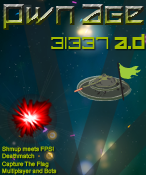
Competitive Multiplayer Twin Stick Shooter. Unreal Tournament meets Geometry Wars.

Race with your friends in a variety of foot races including the dreaded 100k ultra marathon. Team up with friends to do 3 legged races, relays, and more.

Play with up to 4 players or against an advanced artificial intelligence that learns from your play and adapts to beat you.